 Aro
Aro
01
Install the Windows Connector
Install the AroWhere Connector on the Windows computer where Aronium is installed. It reads necessary sales and stock data safely with zero changes to your database.
Your Aronium POS, Wherever You Go.
AroWhere is an independent mobile companion for Aronium POS that helps you stay connected to your shop from your Android phone.
Independent companion for Aronium Lite & supported Aronium setups — not an official Aronium product.
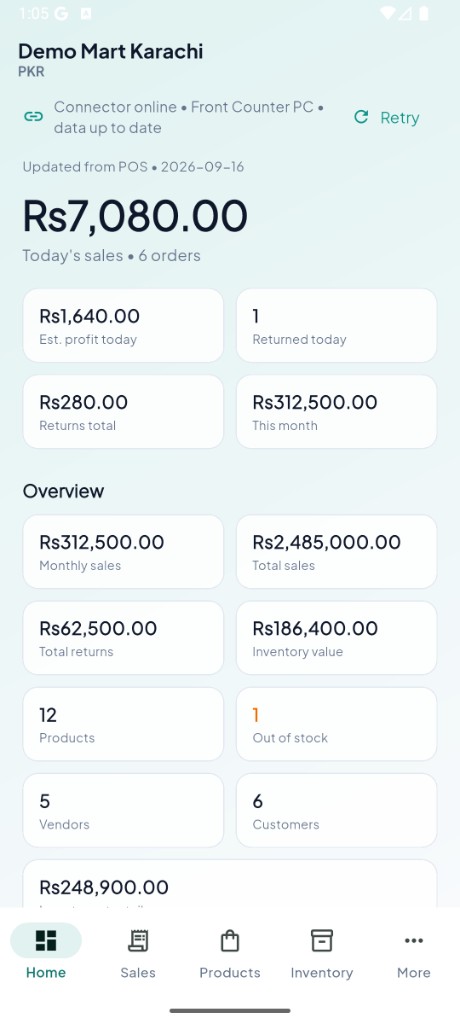
Home Dashboard & Today’s Sales
How it works
Aronium POS → AroWhere Connector → AroWhere cloud → Android phone.
Install the AroWhere Connector on the Windows computer where Aronium is installed. It reads necessary sales and stock data safely with zero changes to your database.
Sign in with the same Google account on both your Android app and the connector. Encrypted cloud syncing pairs your phone to your POS in seconds.
View live sales totals, check product stock levels, monitor customer balances, and get real-time sale push alerts while away from your shop counter.
Features
A clear mobile view of the Aronium information you care about most — sales, inventory, customers and reports.
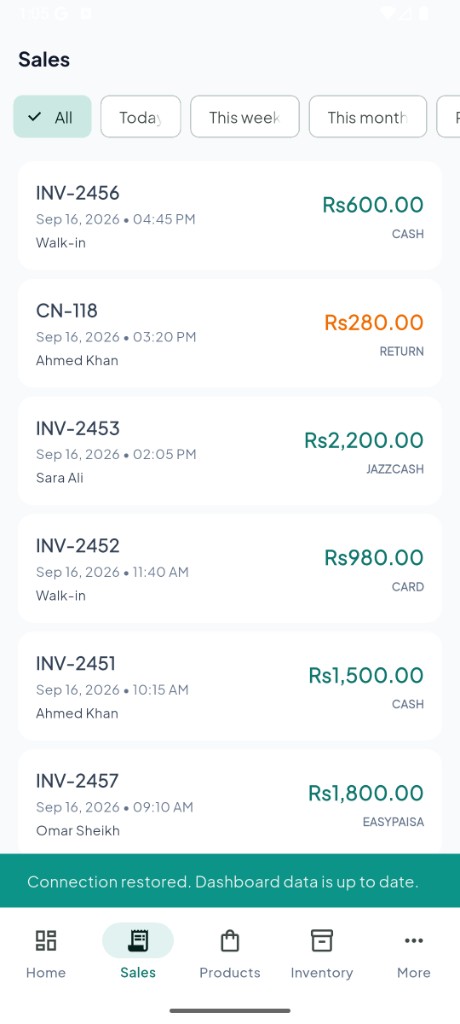
View Aronium sales information from your POS on your phone. Aronium sales
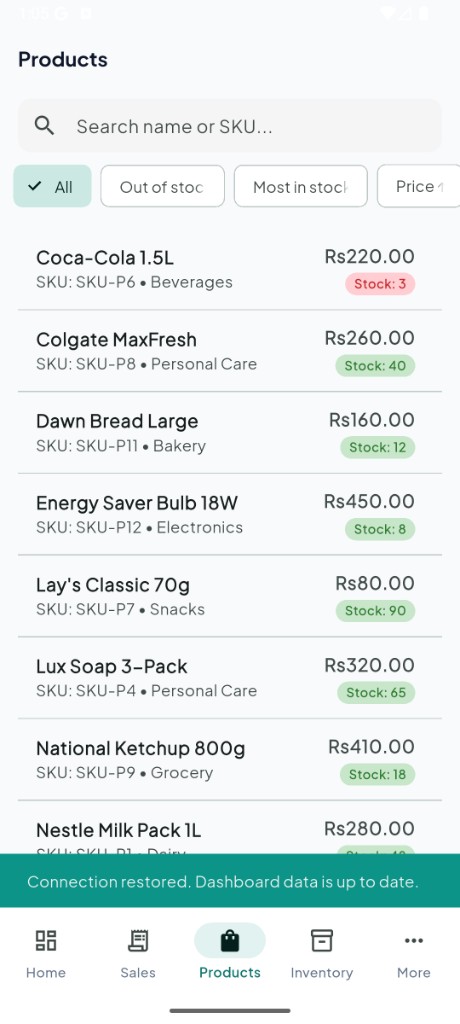
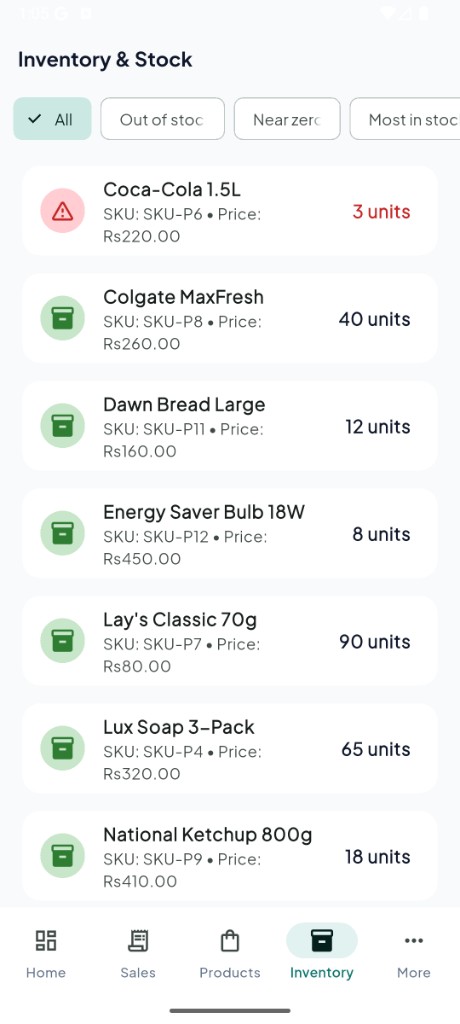
Access product and Aronium inventory details without opening the POS computer. Aronium inventory
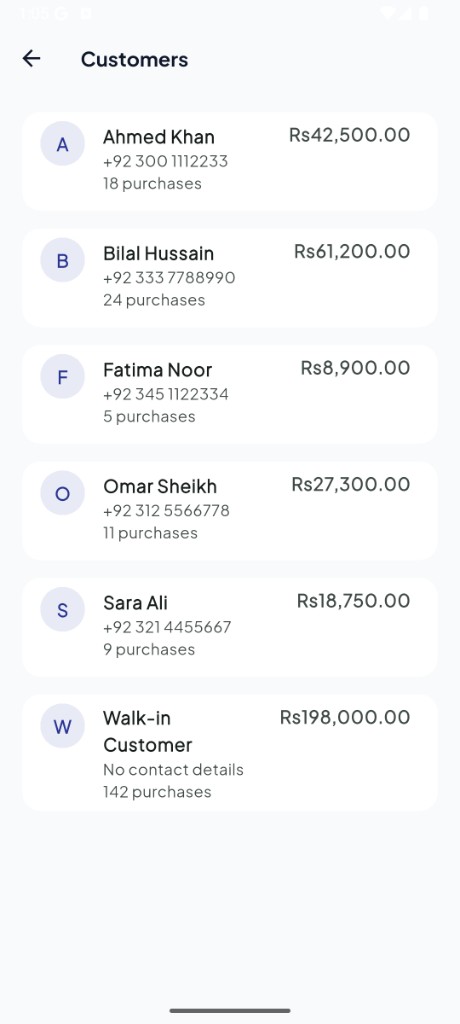
View customer information from your mobile device.
See dashboard-style Aronium reports and activity while away from the counter. Aronium reports
Receive notifications when new sales sync from Aronium.
Keep an eye on Aronium inventory while away from the POS.
When supported by the connector, relevant changes are synced instead of resending everything.
Connect the Android app and Windows connector with the same account.
AroWhere is designed to work alongside Aronium POS and provide a mobile companion experience for supported installations. It is not an official Aronium product.
Compatibility details are maintained in site configuration and updated as versions are verified. AroWhere does not claim support for every Aronium version.
Aronium + AroWhere
AroWhere is not a competitor to Aronium — it is a mobile companion.
| Aronium | AroWhere |
|---|---|
| Desktop POS | Mobile companion |
| Sales management | Mobile sales visibility |
| Product management | Mobile product information |
| Inventory management | Mobile inventory visibility |
| Customer management | Mobile customer access |
| Runs your POS | Keeps you informed |
Mobile app showcase
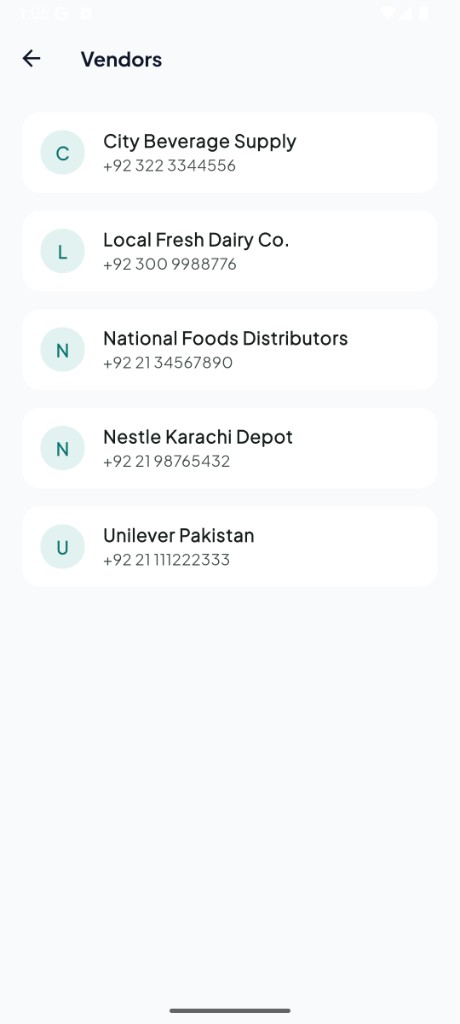
Real screens from the AroWhere Android app.
Privacy & data
AroWhere is designed to work with your existing Aronium installation without modifying your Aronium database.
FAQ
Everything you need to know about the Aronium mobile app experience with AroWhere.
No questions matched your search query. Try another keyword or category.
We're here to help you get connected. Reach out to our community or contact support directly.
Download
Stay connected to your POS from your Android phone.
Windows Connector v1.1.5
Get the Android app on Google Play. Windows Connector downloads from GitHub Releases.
For support, email me directly at iamalishan@gmail.com.